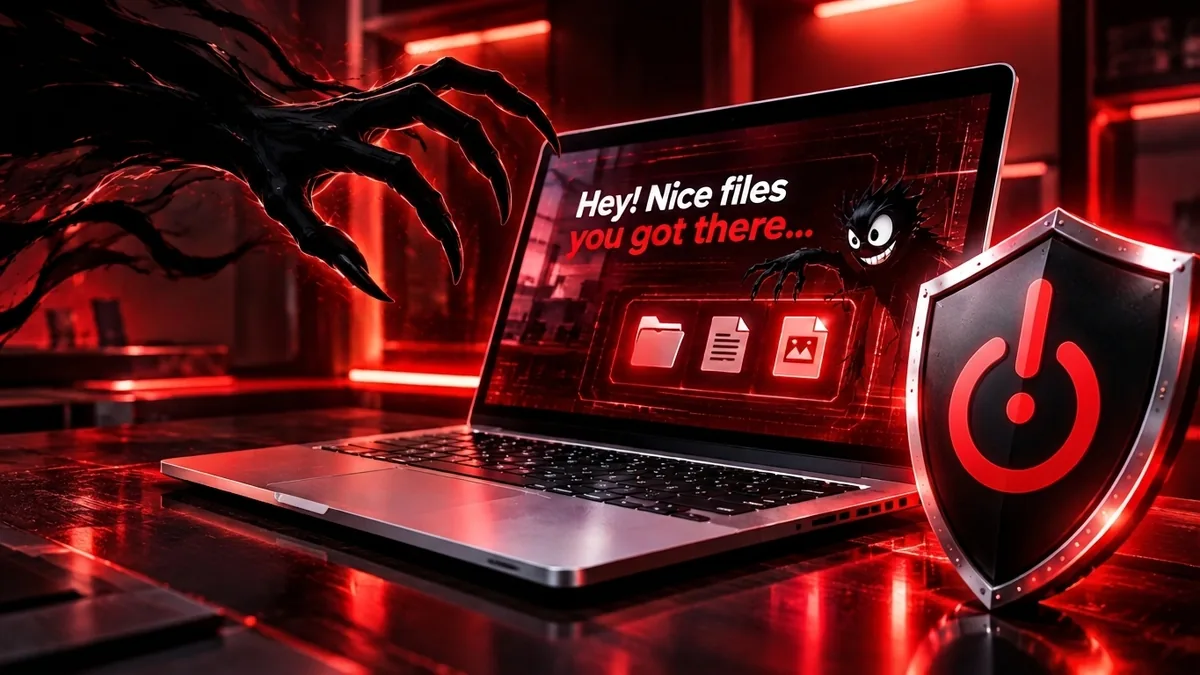
It’s Monday morning at a 30-person engineering firm in Troy. Nobody can open the shared drive. Every folder has the same text file in it. The attack started on Friday night, and it really started days before that.
Ransomware is not one event. It is a series of steps, and most of them happen quietly before anything gets locked. In 2025, the FBI received more than 3,600 ransomware complaints from U.S. victims.[1] Small businesses take most of the hits: in Verizon’s 2026 breach data, about 96% of ransomware victims were small and mid-sized businesses.[2]
Here is what actually happens, stage by stage, what you might notice at each one, and where you can stop it.
A ransomware attack has eight stages: getting in, looking around, taking over admin accounts, stealing data, destroying backups, locking files, demanding payment and recovery. The lock-up you see is near the end. That is good news: there are several chances to catch an attack before anything is encrypted.
- 1Getting inDay 1
- 2Looking aroundHours to days
- 3Taking overOften within hours
- 4Stealing your dataBefore anything is locked
- 5Killing your backupsJust before the attack
- 6Locking everythingNights, weekends, holidays
- 7The ransom noteMonday morning
- 8RecoveryDays to weeks
01Stage 1: Getting in
Every attack starts with a way in. For small businesses hit by ransomware, the two most common doors are stolen passwords (38% of cases) and unpatched firewalls or VPN boxes on the edge of the network (29%).[2] Phishing emails are how a lot of those passwords get stolen in the first place. One of the most active ransomware groups has repeatedly walked in through a company VPN that only asked for a password, with no second login step.[3]
What you might notice
- Login alerts from unusual places or at odd hours
- A staff member who “entered their password on a weird page”
- Firewall or VPN updates that have been waiting for weeks
Turn on a second login step (MFA) for email, VPN and remote access. Install firewall and VPN updates quickly. Never leave remote desktop open to the internet. Teach staff to report suspicious emails, not just delete them.
02Stage 2: Looking around
Once inside, attackers go quiet. They learn your network: which server holds the files, where the backups live, who the administrators are. This is called dwell time, and it is shorter than most people think. In Sophos’s 2026 incident data, the median dwell time was three days.[4] That is three days when someone is in your network and nobody notices.
What you might notice
- Security software flagging “discovery” or scanning tools
- An account logging in to computers it never touches
- New remote-access tools that nobody installed
Use modern security software (often called EDR) on every computer and server, and make sure a real person reviews its alerts. Most attacks can be caught here, before anything is locked.
03Stage 3: Taking over
Next, attackers try to become administrators. The prize is the server that controls every account and password in your company (on most Windows networks, the domain controller). Sophos found that once attackers are in, it takes them a median of just 3.4 hours to reach it.[4] With admin rights, they can reach every computer, turn off defenses and push ransomware everywhere at once.
What you might notice
- New administrator accounts nobody created
- An admin account used from a regular staff computer
- Password resets or lockouts across many accounts
Give administrators separate admin accounts used only for admin work, with MFA. Limit who has admin rights at all. Separate key servers from everyday computers on the network.
04Stage 4: Stealing your data
Before they lock anything, many groups copy your files out. Then they can threaten to publish them even if you restore from backup. CISA calls this double extortion.[5] In about half of the ransomware cases Sophos investigated, data theft was confirmed.[4] Customer records, employee files and contracts are the usual targets, because those hurt most when leaked.
What you might notice
- Large uploads to cloud storage sites you do not use
- Big compressed files (like .zip or .7z) appearing on servers
- Internet traffic spikes at night
Watch for unusual outbound traffic. Keep only the data you need, and lock down who can open sensitive folders. Encrypt laptops and sensitive files.
05Stage 5: Killing your backups
Attackers know backups are your way out, so they go after them. CISA warns that many ransomware strains look for backups they can reach and delete or encrypt them, so the only way back is to pay.[5] They also wipe the restore points Windows keeps on each computer, and switch off security tools if they can.[3]
What you might notice
- Backup jobs that suddenly fail or report deleted copies
- Security software turned off or uninstalled
- Windows restore points disappearing
Keep at least one backup copy offline or locked so it cannot be changed or deleted, even by an administrator. Test a full restore at least once a year. Our guide to cloud storage vs. cloud backup explains the 3-2-1 rule.
06Stage 6: Locking everything
Only now does the part everyone has heard of happen: the ransomware runs and your files become unreadable. Attackers time it for when nobody is watching. Sophos found that 88% of ransomware launches happened outside business hours.[4] A Friday night start gives them a whole weekend before anyone walks in on Monday.
What you might notice
- Files renamed with strange extensions
- Programs that will not open; shared drives that look empty or scrambled
- A text file in every folder with instructions
Make sure security alerts reach someone after hours, including weekends and holidays. Ask whoever runs your IT a simple question: who sees an alert at 2 a.m. on a Saturday?
07Stage 7: The ransom note
The note says your files are locked and your data is stolen, and names a price, usually in cryptocurrency. The pressure comes fast: countdown timers, threats to post your files on a leak website, sometimes emails or calls to your customers. Whether to pay is a hard call, and it is not just a business decision. The FBI and CISA do not encourage paying, because payment does not guarantee you get your files back.[3] Paying a group that is under U.S. sanctions can also break federal law, even if you did not know who you were paying.[6] Many victims do not pay: in Verizon’s 2026 data, 69% of ransomware victims did not pay.[2]
Do not reply to the attackers on your own. Call your IT provider, your cyber insurer (many policies require you to call them first) and a lawyer before anyone talks about money.
08Stage 8: Recovery
Recovery means finding how they got in, closing that door, cleaning or rebuilding computers and restoring data from clean backups. In Sophos’s 2026 survey of mid-sized and larger organizations, 55% were fully recovered within a week, and 83% within a month. The median recovery cost was $375,000, not counting any ransom.[7] Smaller businesses have smaller bills, but they also have less room to absorb a lost week.
Report the attack. It helps law enforcement, and federal guidance treats prompt reporting as a point in your favor.[6] You can report to the FBI at ic3.gov and to CISA at cisa.gov/report.[5] In Michigan, the State Police cyber command center (MC3) takes reports at 877-MI-CYBER or mc3@michigan.gov.[8]
If it’s happening right now: the first hour
- Unplug, don’t power off. Disconnect affected computers from the network (pull the cable, turn off Wi-Fi). CISA suggests powering devices down only if you cannot disconnect them, because a running machine can hold evidence.[5]
- Call your IT provider. They need to find how far it spread and stop it, before anything is wiped or rebuilt.
- Call your cyber insurer. Many policies require notice before you hire outside help or discuss payment. Our cyber insurance guide explains how coverage usually works.
- Call a lawyer. You may have to notify customers or employees whose information was taken.
- Do not contact the attackers yourself, and do not delete the ransom note. It is evidence.
- Report it. FBI (ic3.gov), CISA (cisa.gov/report), and in Michigan the MC3 at 877-MI-CYBER.[8]
- Write everything down. Times, what you saw, who you called. You will need it for the insurer and investigators.
A checklist to do before it happens
Print this and check off what you already have. Anything unchecked is a good place to start.
Logins
- A second login step (MFA) on email, VPN, remote access and admin accounts
- Separate admin accounts used only for admin work
Computers and network
- Firewall, VPN and computer updates installed promptly
- No remote desktop open to the internet
- Modern security software (EDR) on every computer and server
- Alerts reviewed by a real person, including nights and weekends
Backups
- At least one copy offline or locked so it cannot be deleted
- A full test restore in the last 12 months that worked
People and plan
- Staff know how to spot and report phishing
- A written plan with phone numbers: IT, insurer, lawyer
- Cyber insurance reviewed with a licensed agent
Opens a one-page, printable version of this checklist.

(586) 533-2081
hello@wizcomltd.com
// Ransomware readiness
Ransomware Readiness Checklist
Check off what you already have. Anything unchecked is a good place to start.
Logins
- A second login step (MFA) on email, VPN, remote access and admin accounts
- Separate admin accounts used only for admin work
Computers and network
- Firewall, VPN and computer updates installed promptly
- No remote desktop open to the internet
- Modern security software (EDR) on every computer and server
- Alerts reviewed by a real person, including nights and weekends
Backups
- At least one copy offline or locked so it cannot be deleted
- A full test restore in the last 12 months that worked
People and plan
- Staff know how to spot and report phishing
- A written plan with phone numbers: IT, insurer, lawyer
- Cyber insurance reviewed with a licensed agent
Want to see how protected you are? Our plain-English guide to Zero Trust covers the habits that stop most of these stages, and the free Cyber Insurance Readiness Check scores the same basics insurers ask about.
Frequently asked questions
What is ransomware?
Ransomware is malicious software that locks your files and systems so you cannot use them, then demands payment to unlock them. Most attackers today also steal a copy of your data first and threaten to publish it.
How long does a ransomware attack take?
It is usually not instant. Attackers often spend days inside a network before they lock anything. In Sophos incident data from 2026, the median time between break-in and detection was three days, which leaves a window to catch them.
How does ransomware usually get in?
For small businesses, the most common ways in are stolen passwords and unpatched firewalls or VPN devices, according to Verizon’s 2026 breach report. Phishing emails are a common way passwords get stolen.
Should we pay the ransom?
The FBI and CISA do not encourage paying, because paying does not guarantee you get your files back. Paying a sanctioned group can also break federal law. Talk to your IT provider, your insurer and a lawyer before anyone discusses payment.
Will backups protect us?
Only if attackers cannot reach them. Many ransomware groups look for backups and delete or encrypt them first. Keep at least one copy offline or locked so it cannot be changed, and test that you can actually restore from it.
Who do we report a ransomware attack to?
Report it to the FBI at ic3.gov and to CISA at cisa.gov/report. Michigan businesses can also contact the Michigan State Police cyber command center (MC3) at 877-MI-CYBER or mc3@michigan.gov.
Are small businesses really targets?
Yes. Verizon’s 2026 breach report found that about 96% of ransomware victims in its data were small and mid-sized businesses. Attackers go where defenses are weakest, not where companies are biggest.
Catch It Before Stage Six
For more than 40 years, Wizcom has helped Michigan businesses keep their technology safe and running. We can review your logins, backups and monitoring against each stage in this article and close the gaps, before anyone ever sees a ransom note.
Schedule Your Free IT Strategy SessionSources
- 1. FBI Internet Crime Complaint Center, 2025 Internet Crime Report, Apr. 2026.
- 2. Verizon, 2026 Data Breach Investigations Report, May 19, 2026.
- 3. CISA and FBI, #StopRansomware: Akira Ransomware (Advisory AA24-109A), updated Nov. 13, 2025.
- 4. Sophos X-Ops, The 2026 Sophos Active Adversary Report, Feb. 2026.
- 5. CISA, #StopRansomware Guide, accessed Oct. 7, 2026.
- 6. U.S. Department of the Treasury, OFAC, Updated Advisory on Potential Sanctions Risks for Facilitating Ransomware Payments, Sept. 21, 2021.
- 7. Sophos, The State of Ransomware 2026, June 2026.
- 8. Michigan State Police, Michigan Cyber Command Center (MC3), accessed Oct. 7, 2026.
Sources checked October 7, 2026. Figures are as reported by each source.